React.js

React.js + Tailwind CSS

Best React.js Boilerplates with Tailwind CSS

Boilerplates styled with Tailwind CSS for modern, responsive UI design. These carefully selected React.js boilerplates are perfect for building SaaS applications with tailwind css integration. Compare features, prices, and find the perfect boilerplate for your project.

Best React.js Boilerplates with Tailwind CSS

Dirstarter
Dirstarter
Dirstarter is a full-featured boilerplate built with Next.js (with TypeScript) designed for launching directory-style websites. It gives you a ready-made foundation: authentication and user management, admin panel, listing submission and management, payment integration via Stripe, and monetization options (premium listings, featured spots, ads, affiliate-links, etc.). Beyond that, Dirstarter includes SEO-friendly page structure, support for multiple languages (i18n), and built-in tools for content creation (including AI-powered content generation to help bootstrap listings and categories). On the technical side, Dirstarter leans on a modern, maintainable stack: Next.js, a modern ORM (e.g. Prisma), CSS via Tailwind CSS, and UI components from shadcn/ui / Radix UI which means you’ll get a responsive, customizable UI and a code structure that’s relatively straightforward to work with and extend. The value proposition of Dirstarter is that instead of spending weeks building the backbone of a directory site: user flows, payments, listings DB, admin UI, monetization logic, i18n, SEO - you get a working system out-of-the-box and can focus immediately on content, branding, and growth. For someone building a directory or listing-type website (local businesses, tools marketplace, niche listing directory, etc.), this can significantly reduce time to launch. However, adopting Dirstarter also means accepting its architecture and conventions. It’s opinionated: you're committing to the tech choices (Next.js + Prisma + Tailwind + the integrations Dirstarter bundles). If your project requires a drastically different backend setup, custom data models or unusual flows, you may spend extra effort altering or stripping parts you don’t need. Moreover, because it offers a lot of built-in features (payments, content generation, monetization, i18n, admin, etc.), you may end up with more “surface area” than needed which can complicate maintenance if you only need a simple directory.
Stack
Next.jsReact
Price$159
Lifetime
Makerkit
Makerkit
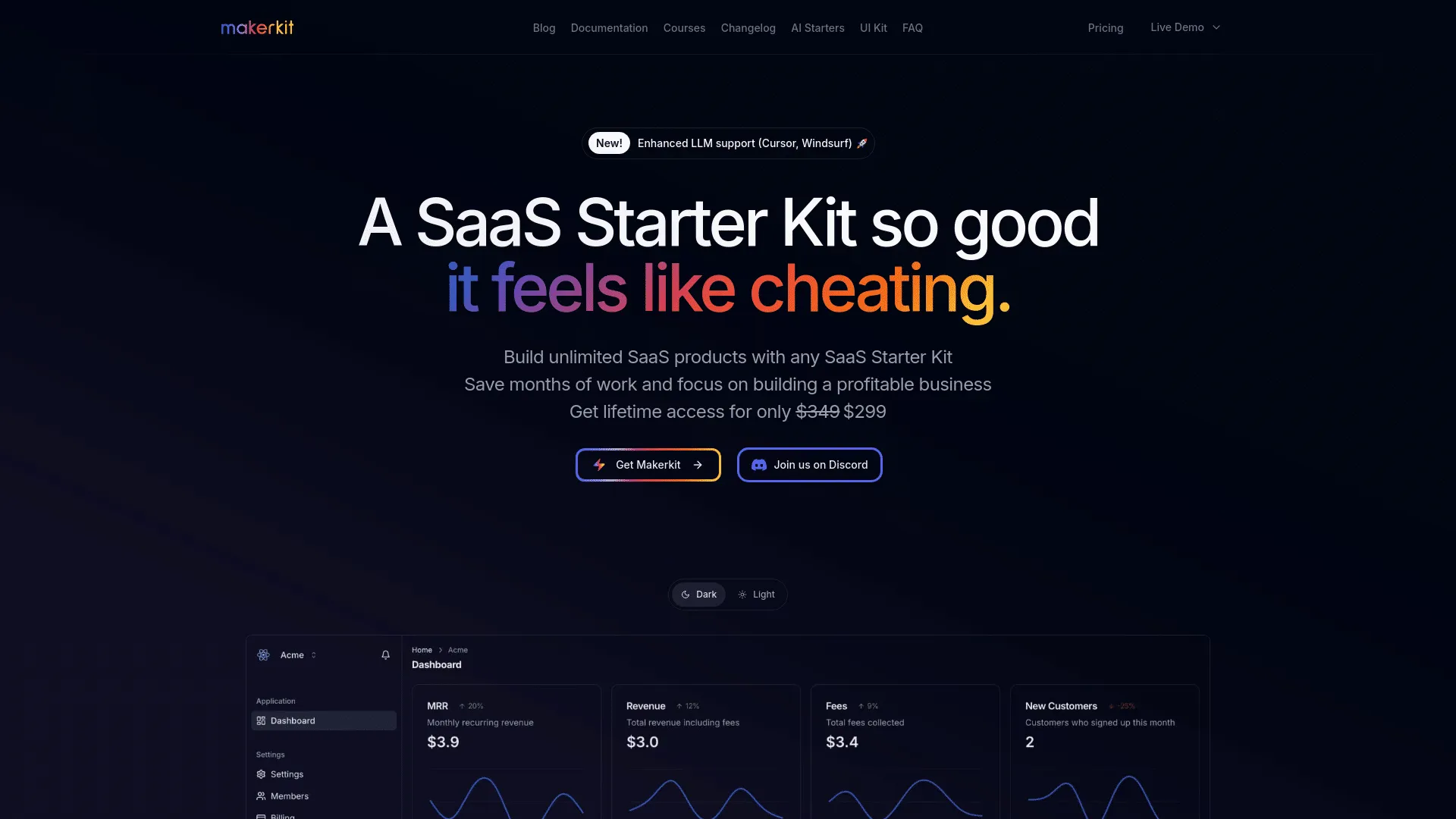
MakerKit is a SaaS‑starter boilerplate built for modern React/Next.js (also supporting Remix/Supabase or Firebase variants) that tries to give you a production‑ready foundation, rather than a barebones template. At its core MakerKit bundles authentication (email, social login, magic‑link, optional MFA), user and team/organization management (multi‑tenancy, roles, invitations), and subscription/billing support via payment providers (Stripe or Lemon Squeezy). The boilerplate comes styled by default using a modern UI stack with Tailwind CSS (and Shadcn/Radix‑based UI components), with light/dark mode and includes UI scaffolding for dashboards, admin panels, marketing pages, blog/documentation pages, and a customizable layout structure. MakerKit aims to reduce the time and effort needed to ship a SaaS: instead of wiring up auth, payments, data layer, UI and common SaaS flows from scratch, you get a working skeleton that you can extend, customize, and build on. This includes also support for serverless or traditional hosting setups, built‑in support for sending stylized transactional emails, and optional plugins/features (like documentation/blog generation, admin dashboards, analytics hooks, and more) to help bootstrap both the product and its public-facing/marketing side.
Stack
Next.jsReactNode.jsRemix
Price$349
Lifetime
LaunchFast
LaunchFast
LaunchFast is a boilerplate designed to give developers a solid starting point for building modern web applications. It comes with pre-configured templates for frameworks like Next.js, Astro, and SvelteKit, providing authentication, database connections, payment integration, email support, analytics, and content management all set up and ready to go. The goal is to remove repetitive setup work so developers can focus on building the unique parts of their app. LaunchFast also includes SEO-friendly routing, page templates, and a basic UI scaffold, making it easier to launch functional web apps or SaaS projects quickly. While it speeds up initial development, adopting LaunchFast means following its chosen stack and architecture, so projects that require a highly customized setup may need adjustments or modifications to the default structure.
Stack
Next.jsReactNode.jsSvelte
Price$99
Lifetime
Loopple
Loopple
Loopple Boilerplate is a commercial boilerplate and low‑code builder built around Next.js + Tailwind CSS + Supabase (for auth & database), providing a ready‑made foundation for web apps, dashboards or SaaS‑style projects. What makes it more than just a UI kit is that it also integrates payment support (via Paddle), optional AI‑powered features (through OpenAI APIs), and offers a drag‑and‑drop page/dash‑builder to generate app templates without having to code layout by hand. Out of the box you get pre‑built demo pages, landing page, login page, dashboard, pricing, AI‑generator (if using AI features), projects page and a 404 along with a catalog of Tailwind components and UI elements that you can export as a clean Next.js project. The idea behind Loopple Boilerplate is to save you the many hours typically spent wiring authentication, database, UI scaffolding, payments, and basic page structure, so you can jump sooner into building actual product logic. Because it bundles backend (Supabase + auth + DB) and frontend (Next.js + components + builder + pages) together, Loopple can serve as a quick “jump‑start” boilerplate if you plan to build a modern web application, SaaS product, or dashboard that needs auth, user management, payment/subscriptions, and a ready UI shell.
Stack
Next.jsReactNode.js
Price$99
Nextacular
Nextacular
Nextacular is a free, open‑source SaaS boilerplate built on Next.js (with React), using Prisma for database/ORM and styled with Tailwind CSS. It comes pre‑wired with core SaaS features: user authentication (magic‑link, OAuth/social logins via NextAuth.js), database integration (Prisma + a relational DB, e.g. PostgreSQL), multi‑tenant and workspace/team support, billing and subscription management via Stripe, customizable landing page and frontend scaffold, basic SEO setup, and email/communication support (for transactional emails, etc.). It also offers deployment‑friendly setup (with a one‑click deploy option for Vercel) and a modular, modern stack which can save significant time compared to building all infrastructure yourself. Nextacular is a good fit when you want to build a SaaS product that expects multiple organizations/teams, subscription billing, user authentication, and you prefer a clean, battle‑tested tech stack (Next.js + Prisma + Tailwind + Stripe). It’s especially attractive if you want to go from idea to a working prototype or MVP quickly without wiring all backend and billing/payment logic manually.
Stack
Next.jsReactNode.js
PriceFree
SaaS Starter Kit
SaaS Starter Kit
SaaS Starter Kit is a boilerplate/template for building full‑featured SaaS or web apps using Next.js + React + Tailwind CSS + modern tools/stack conventions. The template includes a complete backend + frontend foundation: user authentication (email, social OAuth, magic‑link), subscription payments and billing flows via Stripe or LemonSqueezy, subscription management (update/cancel/subscription portal), and multi‑tenancy support (organizations, team invites, roles & permissions) for apps that require team or org‑based access control. On the frontend side you get a pre‑made UI built with Tailwind + shadcn/ui, mobile/tablet responsiveness, dark‑mode support, and a set of ready‑to‑use pages: landing, pricing, blog, dashboard, admin panel plus built‑in support for email workflows (via Resend + react‑email), blog/content management, and basic marketing/ public‑facing site templates. The codebase is designed to be production‑ready: after setting environment variables you can deploy right away (optimized for deployment on services like Vercel). The project claims clean, modular architecture and full access to code so you own your code and can adapt it as needed. Because the kit is relatively feature‑rich (auth, payments, roles/permissions, multi‑tenant/org support, blog/marketing pages, email workflows, UI scaffolding, etc.), it may feel heavier than minimal templates, which for simple apps, prototypes or highly customized projects might introduce overhead.
Stack
Next.jsReactNode.js
PriceFree
Lifetime
Ship SaaS
Ship SaaS
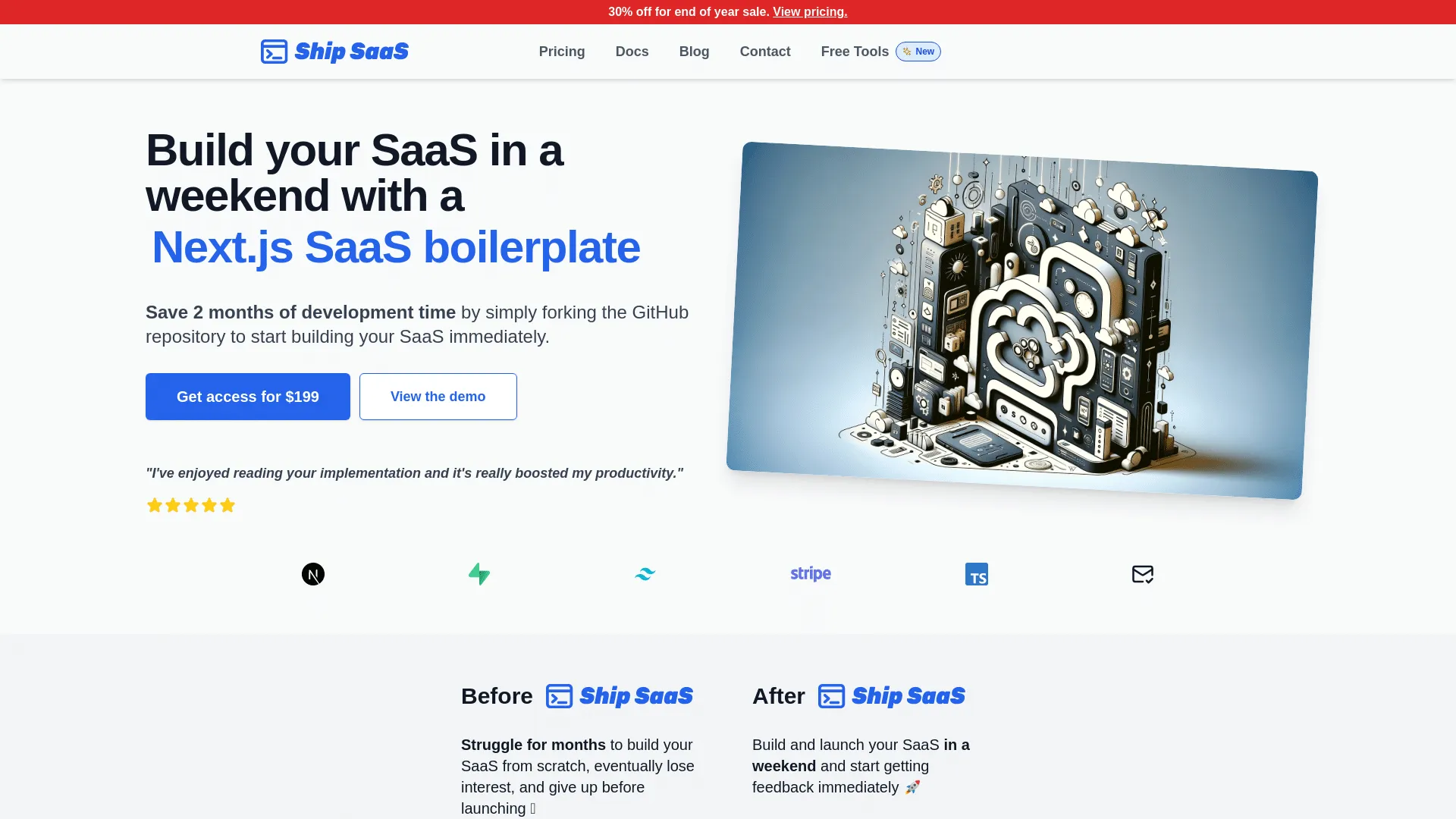
Ship SaaS is a full‑stack boilerplate built with Next.js, Supabase (backend/auth/database), and Tailwind CSS, designed to give developers a ready-made foundation for SaaS or subscription‑driven web applications. With Ship SaaS you obtain working user authentication (registration / login / password reset flows via Supabase), database setup, integrated billing/subscription support via Stripe, and a serverless-ready stack that can be hosted on scalable platforms. It also includes public‑facing page templates, a Striped‑connected backend and basic UI/layout scaffolding. Ship SaaS is best when you’re building a SaaS or subscription‑based web app, you value rapid launch, and you’re comfortable with its tech stack and abstractions. It’s ideal for a solo developer, indie founder or small team wanting to get up and running quickly without reinventing the “plumbing.” It may be less suitable if your project needs a highly customized backend, non‑standard architecture, or minimal dependency footprint - in those cases a lighter template or custom build might serve better.
Stack
Next.jsReactNode.js
Price$199
Lifetime
Shipixen
Shipixen
Shipixen is a boilerplate generator for Next.js applications that helps you go from concept to deployed website or SaaS‑ready codebase in just minutes. It’s built on a modern stack (Next.js 15, TypeScript, Tailwind CSS, Shadcn UI, MDX / Contentlayer for content/blogs) and gives you a pre‑configured, deploy‑ready site complete with a landing page, SEO‑optimized blog, pricing & terms pages, navigation, theming (light/dark mode), and more. What makes Shipixen stand out is that it doesn’t just give a bare‑bones “starter.” Instead it provides a library of 300+ UI components, over 60 themes, and multiple landing‑page / page templates so you can quickly assemble a site or product without designing everything from scratch. After configuration, the generator delivers a full Next.js repository you get the source code, which you own and you can deploy with one click to platforms like Vercel (or download a zip).
Stack
Next.jsReactNode.js
Price$249
Lifetime
Supanuxt
Supanuxt
This SAAS boilerplate is designed to streamline development using modern technologies like Nuxt3, Supabase, and Prisma. It emphasizes separation of concerns and avoiding vendor lock-in, opting for Prisma over Supabase API for database management, and TRPC over REST for efficient client-server communication. The template integrates Stripe for payment processing and supports OAuth via Supabase for authentication. Tailored for flexibility, it uses the Composition API across components and stores, ensuring a consistent approach. Deployment is simplified through Netlify, with detailed guidance on environment setup. This boilerplate serves as a robust starting point for building scalable SAAS applications.
Stack
ReactNode.jsRemixNuxt.js
PriceFree
Lifetime

Why Use React.js Boilerplates with Tailwind CSS?

Tailwind CSS is a utility-first CSS framework that enables rapid UI development with consistent design systems. Boilerplates with Tailwind CSS provide pre-styled components, responsive layouts, and modern design patterns that save weeks of CSS development. Tailwind's utility classes make it easy to customize designs without writing custom CSS.

Combining React.js with tailwind css provides a powerful foundation for building modern SaaS applications. React.js offers excellent performance and developer experience, while tailwind cssprovides essential functionality that would take weeks or months to implement from scratch. If you're exploring React.js boilerplates in general, check out our best React.js boilerplates page for a comprehensive overview.

What to Look For

When selecting a boilerplate with Tailwind CSS, look for proper Tailwind configuration, responsive design patterns, dark mode support, custom component libraries, and consistent design systems. The best Tailwind boilerplates include well-organized utility classes, responsive breakpoints, and modern UI components.

Additionally, ensure the boilerplate uses the latest React.js features and follows best practices. Look for active maintenance, regular updates, comprehensive documentation, and positive community feedback. The best boilerplates combine React.jsbest practices with robust tailwind css implementation. For more information about boilerplates with tailwind css, see our boilerplates with tailwind css page.

Benefits

BenefitDescription
Rapid UI development
Build interfaces faster with utility classes
Consistent design
Pre-built design system and components
Responsive design
Mobile-first responsive layouts
Customizable
Easy to customize colors, spacing, and typography
Time savings
Skip weeks of CSS development
Modern design
Contemporary UI patterns and components

Getting Started

Getting started with a React.js boilerplate that includes tailwind cssis straightforward. Most modern boilerplates come with comprehensive setup instructions and documentation. Here's a typical workflow to get you up and running quickly:

  1. Choose Your Boilerplate: Review the available options above, comparing features, pricing, and community support. Consider your specific requirements and budget.
  2. Installation: After purchasing, download the boilerplate and install dependencies using the package manager (npm, yarn, or pnpm). Most boilerplates include a setup script to automate initial configuration.
  3. Configuration: Set up your environment variables, including API keys for tailwind css. Most boilerplates include example environment files to guide you through this process.
  4. Database Setup: Configure your database connection and run migrations if required. Many boilerplates include database seeding scripts to populate initial data.
  5. Customization: Start customizing the boilerplate to match your brand and requirements. This includes updating colors, fonts, logos, and adding your unique features.
  6. Testing: Run the test suite to ensure everything works correctly, then start building your unique features on top of the solid foundation.

The best React.js boilerplates with tailwind cssinclude detailed documentation, video tutorials, and active community support to help you succeed.

Common Use Cases

React.js boilerplates with tailwind css are ideal for various types of applications and business models. Here are some common scenarios where this combination excels:

  • SaaS Applications: Building subscription-based software services that require tailwind css functionality. The combination of React.js and tailwind cssprovides a solid foundation for scalable SaaS products.
  • Marketplace Platforms: Creating multi-vendor marketplaces or platforms that need tailwind css integration. These boilerplates often include the necessary infrastructure for handling complex business logic.
  • Content Management Systems: Building custom CMS solutions with tailwind css features. Perfect for content creators and publishers who need specialized functionality.
  • E-commerce Platforms: Developing online stores and e-commerce solutions that leverage tailwind css for enhanced functionality and user experience.
  • B2B Applications: Creating business-to-business tools and platforms that require tailwind css integration for enterprise-level features and compliance.
  • Startup MVPs: Rapidly prototyping and launching minimum viable products with tailwind css capabilities. These boilerplates help startups validate ideas quickly without building everything from scratch.

The flexibility of React.js combined with the power of tailwind cssmakes these boilerplates suitable for a wide range of applications, from simple tools to complex enterprise solutions.

Best Practices

When working with React.js boilerplates that include tailwind css, following best practices ensures you build a maintainable, scalable, and secure application. Here are key recommendations:

Security First

Always review and update security configurations, especially for tailwind cssintegration. Keep dependencies up to date, use environment variables for sensitive data, and follow React.js security best practices. Regularly audit your code for potential vulnerabilities.

Code Organization

Maintain clean, organized code structure. Follow the boilerplate's conventions and extend them consistently. Keep tailwind css-related code in dedicated modules or directories for better maintainability.

Testing Strategy

Implement comprehensive testing for tailwind css functionality. Write unit tests, integration tests, and end-to-end tests to ensure reliability. Test edge cases and error handling scenarios.

Performance Optimization

Optimize your React.js application for performance. Use React.jsbuilt-in optimization features, implement proper caching strategies, and monitor tailwind cssperformance metrics. Consider code splitting and lazy loading for better initial load times.

Documentation

Document your customizations and extensions to tailwind cssfunctionality. This helps team members understand the codebase and makes future maintenance easier. Keep documentation updated as you add features.

Regular Updates

Stay updated with React.js releases and tailwind cssupdates. Regularly update dependencies, review changelogs, and test updates in a development environment before deploying to production.

FAQ

Why choose a React.js boilerplate with tailwind css?

A React.js boilerplate with tailwind csssaves weeks or months of development time by providing pre-configured tailwind cssintegration. This combination gives you a production-ready foundation that follows best practices and allows you to focus on building unique features rather than infrastructure.

How do I get started with a React.js boilerplate with tailwind css?

Purchase and download the boilerplate, install dependencies, configure environment variables, and follow the setup documentation. Most boilerplates include detailed guides for configuringtailwind css. Once configured, you can start customizing the design and adding your unique features.

Can I customize the tailwind css implementation?

Yes, boilerplates provide full access to the code, allowing you to customize the tailwind cssimplementation to match your specific needs. You can modify configurations, add features, and adapt the implementation as your application grows.

What's the typical pricing range for React.js boilerplates with tailwind css?

Pricing varies depending on the boilerplate's features, support level, and licensing model. Most React.js boilerplates with tailwind cssrange from free (open-source) to $500+ for premium options. Many offer lifetime licenses, which can be cost-effective for long-term projects. Consider the value of time saved versus the purchase price when making your decision.

Do these boilerplates include support and updates?

Most premium boilerplates include documentation, email support, and regular updates. Some offer lifetime updates, while others provide updates for a specific period (e.g., one year). Open-source boilerplates typically rely on community support. Check each boilerplate's support policy before purchasing to ensure it meets your needs.

How long does it take to set up a React.js boilerplate with tailwind css?

Setup time varies, but most well-documented boilerplates can be running locally within 30 minutes to 2 hours. This includes installing dependencies, configuring environment variables, setting up the database, and running initial migrations. More complex setups or custom configurations may take longer. The best boilerplates include step-by-step guides to minimize setup time.

Can I use these boilerplates for commercial projects?

Most boilerplates allow commercial use, but licensing terms vary. Some require a commercial license for commercial projects, while others are free for any use. Always review the license agreement before using a boilerplate commercially. Premium boilerplates typically include commercial licenses in their pricing.

Are these boilerplates suitable for production use?

Yes, reputable React.js boilerplates with tailwind cssare designed for production use. They include security best practices, error handling, and production-ready configurations. However, you should always review the code, run security audits, and test thoroughly before deploying to production. Look for boilerplates with active maintenance and positive user reviews.

What if I need to migrate from another framework or boilerplate?

Migration depends on your current setup. If you're migrating from another React.jsboilerplate, the process is usually straightforward - you can often reuse your database schema and business logic. Migrating from a different framework requires more work, as you'll need to rewrite framework-specific code. Some boilerplates offer migration guides or services to help with this process.

How do I choose between different React.js boilerplates with tailwind css?

Compare features, pricing, documentation quality, community support, update frequency, and user reviews. Consider your specific requirements: Do you need certain features? What's your budget? How important is ongoing support? Review the code quality if possible, and check if the boilerplate follows React.js and tailwind css best practices. Many developers find it helpful to test a few options before committing.