Detailed Comparison 2025
Ship SaaS vs Shipped
Compare Ship SaaS and Shipped side-by-side. We've analyzed features, pricing, and capabilities to help you choose the best boilerplate for your SaaS project.
Quick Overview
Ship SaaS
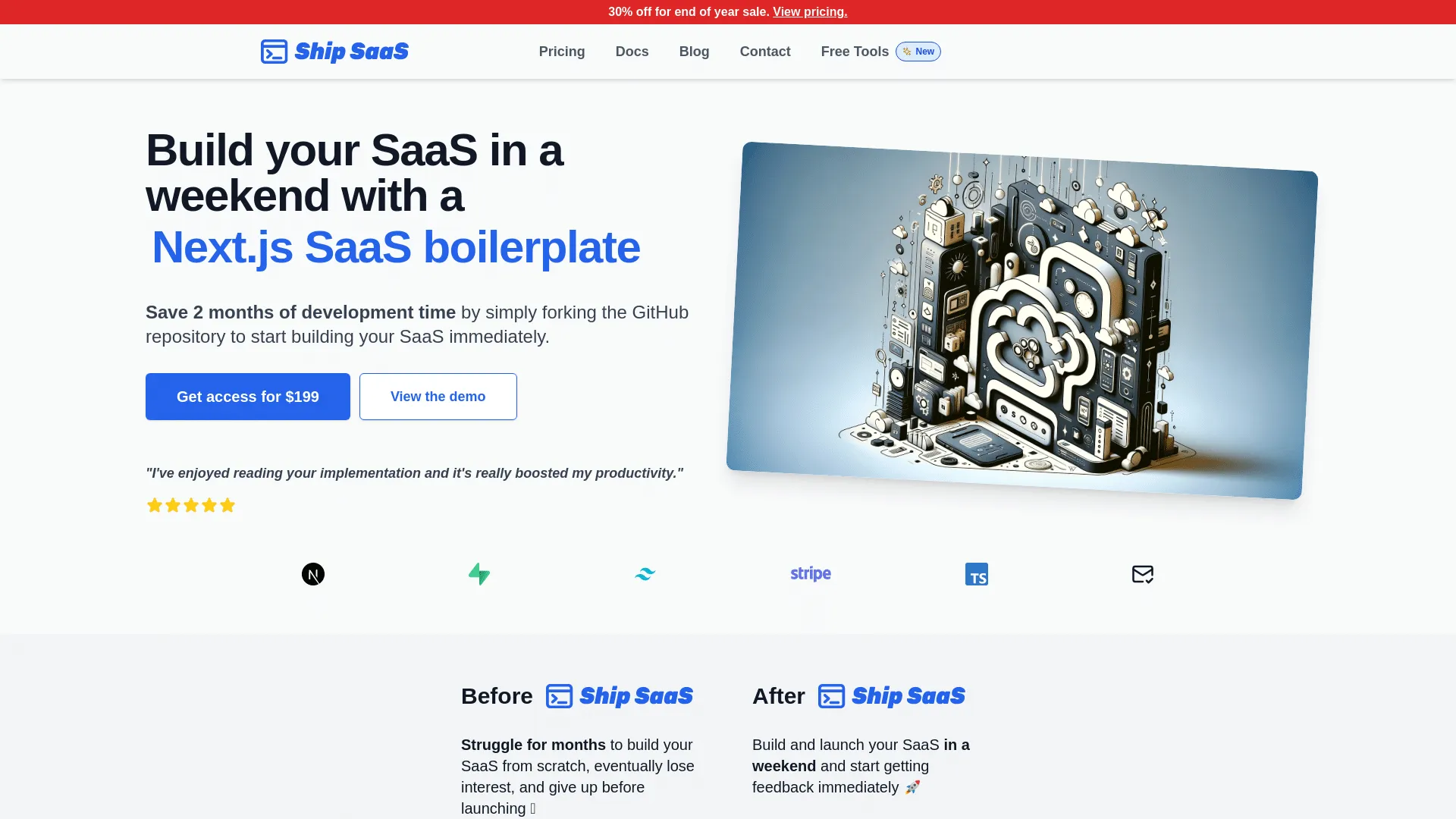
Ship SaaS is a full‑stack boilerplate built with Next.js, Supabase (backend/auth/database), and Tailwind CSS, designed to give developers a ready-made foundation for SaaS or subscription‑driven web applications. With Ship SaaS you obtain working user authentication (registration / login / password reset flows via Supabase), database setup, integrated billing/subscription support via Stripe, and a serverless-ready stack that can be hosted on scalable platforms. It also includes public‑facing page templates, a Striped‑connected backend and basic UI/layout scaffolding. Ship SaaS is best when you’re building a SaaS or subscription‑based web app, you value rapid launch, and you’re comfortable with its tech stack and abstractions. It’s ideal for a solo developer, indie founder or small team wanting to get up and running quickly without reinventing the “plumbing.” It may be less suitable if your project needs a highly customized backend, non‑standard architecture, or minimal dependency footprint - in those cases a lighter template or custom build might serve better.
Key Features

Shipped
Shipped.club is a full‑stack SaaS boilerplate based on Next.js and TypeScript, created to help developers, indie‑founders and small teams launch web applications or subscription‑based services much faster than starting from scratch. From the start, Shipped.club comes with built-in user authentication (signup/login, social login, magic‑link), database integration (via Prisma, supporting common databases), payment and subscription flows (via Stripe and/or LemonSqueezy), and a modern UI/UX layer (using frameworks like Chakra UI + TailwindCSS / component‑based UI kit), so the essentials (auth, billing, DB, frontend) are pre‑wired and ready. On top of that, it provides customizable landing and marketing pages (landing, pricing, waitlist, pre‑sale, affiliate pages), a blog/markdown‑based content system with SEO‑friendly metadata & sitemap generation, and optional dashboards/analytics useful both for public‑facing marketing sites and internal admin or user dashboards.
Key Features
Feature-by-Feature Comparison
| Feature | Ship SaaS$199 | Shipped$257 |
|---|---|---|
| Price | $199 | $257 |
| Developer | Nico Botha | Luca Restagno |
| Authentication | ||
| Stripe Integration | ||
| Paddle Integration | ||
| Lemon Squeezy | ||
| Dodo Payments | ||
| Polar | ||
| Creem | ||
| Admin Panel | ||
| User Dashboard | ||
| Subscriptions | ||
| Blog | ||
| SEO Optimized | ||
| Documentation | ||
| Support | ||
| Tailwind CSS | ||
| API | ||
| Two-Factor Auth | ||
| Multi-Tenancy | ||
| Teams | ||
| Shadcn UI | ||
| View Details | View Page | View Page |
Ship SaaS vs Shipped: Detailed Analysis
When choosing between Ship SaaS and Shipped, it's essential to understand the key differences that make each boilerplate unique. Both are excellent choices for building SaaS applications, but they cater to different needs and development approaches.
What is Ship SaaS?
Ship SaaS is a full‑stack boilerplate built with Next.js, Supabase (backend/auth/database), and Tailwind CSS, designed to give developers a ready-made foundation for SaaS or subscription‑driven web applications. With Ship SaaS you obtain working user authentication (registration / login / password reset flows via Supabase), database setup, integrated billing/subscription support via Stripe, and a serverless-ready stack that can be hosted on scalable platforms. It also includes public‑facing page templates, a Striped‑connected backend and basic UI/layout scaffolding. Ship SaaS is best when you’re building a SaaS or subscription‑based web app, you value rapid launch, and you’re comfortable with its tech stack and abstractions. It’s ideal for a solo developer, indie founder or small team wanting to get up and running quickly without reinventing the “plumbing.” It may be less suitable if your project needs a highly customized backend, non‑standard architecture, or minimal dependency footprint - in those cases a lighter template or custom build might serve better.
Developed by Nico Botha, Ship SaaS has become a popular choice among developers looking for a reliable starting point for their SaaS projects.
What is Shipped?
Shipped.club is a full‑stack SaaS boilerplate based on Next.js and TypeScript, created to help developers, indie‑founders and small teams launch web applications or subscription‑based services much faster than starting from scratch. From the start, Shipped.club comes with built-in user authentication (signup/login, social login, magic‑link), database integration (via Prisma, supporting common databases), payment and subscription flows (via Stripe and/or LemonSqueezy), and a modern UI/UX layer (using frameworks like Chakra UI + TailwindCSS / component‑based UI kit), so the essentials (auth, billing, DB, frontend) are pre‑wired and ready. On top of that, it provides customizable landing and marketing pages (landing, pricing, waitlist, pre‑sale, affiliate pages), a blog/markdown‑based content system with SEO‑friendly metadata & sitemap generation, and optional dashboards/analytics useful both for public‑facing marketing sites and internal admin or user dashboards.
Created by Luca Restagno, Shipped offers a robust foundation for building scalable SaaS applications.
Need to Promote Your Startup or Boilerplate?

Check out LaunchDirectories.com to get your startup or boilerplate listed in 100+ product launch directories and gain valuable backlinks from high-authority platforms. This is especially effective for new products looking to quickly build domain authority and gain backlinks.
Payment Integration: Ship SaaS vs Shipped
When building a SaaS application, choosing the right payment integration is crucial for monetization success. Let's compare the payment options available in Ship SaaS and Shipped.
Ship SaaS Payment Options
Ship SaaS supports Stripe.
Shipped Payment Options
Shipped integrates with Stripe and Lemon Squeezy. With Merchant of Record support, you can focus on building your product while the payment provider handles tax compliance, invoicing, and regulatory requirements across different countries.
Key Differences Between Ship SaaS and Shipped
💰 Pricing
Ship SaaS is priced at $199, while Shipped costs $257. This makes Ship SaaS the more budget-friendly option, potentially saving you 58 dollars.
⚡ Features & Capabilities
Both boilerplates include authentication systems, making it easy to implement user login and registration.
Payment processing is available in both options. Ship SaaS supports Stripe, while Shipped integrates with Stripe, Lemon Squeezy.
🎯 Best Use Cases
Ship SaaS
- • SaaS startups looking for quick deployment
- • Projects requiring authentication
- • Teams with limited budgets
Shipped
- • SaaS applications needing rapid development
- • Projects requiring authentication
- • Teams with flexible budgets
When to Choose Ship SaaS vs Shipped
Choose Ship SaaS if:
- You're looking for the most cost-effective solution
- You want to start with Ship SaaS's specific tech stack and approach
- Your project aligns with Ship SaaS's feature set
Choose Shipped if:
- You prefer Shipped's specific approach and features
- Your requirements match Shipped's capabilities
Final Verdict: Ship SaaS vs Shipped
Both Ship SaaS and Shipped are excellent choices for building SaaS applications. Your decision should be based on your specific requirements, budget, and technical preferences.
Ship SaaS is ideal if you're looking for a more affordable option with built-in authentication.
Shipped stands out for its comprehensive feature set and is perfect for developers who need authentication.
Ultimately, both boilerplates will help you launch your SaaS product faster and more efficiently. Review the detailed comparison above, consider your project requirements, and choose the one that aligns best with your goals.
Frequently Asked Questions: Ship SaaS vs Shipped
Which is better: Ship SaaS or Shipped?
The "better" choice depends on your specific needs. Ship SaaS excels in affordability, while Shippedstands out for its feature set. Consider your budget, required features, and development timeline when making your decision.
What's the price difference between Ship SaaS and Shipped?
Ship SaaS costs $199 while Shipped is priced at $257. That's a difference of $58. Both are one-time payments with no recurring fees, making them cost-effective long-term investments for your SaaS project.
Can I switch from Ship SaaS to Shipped later?
While technically possible, switching boilerplates mid-project is challenging and time-consuming. Each boilerplate has its own architecture, dependencies, and patterns. It's best to carefully evaluate both options now and choose the one that best fits your long-term needs to avoid costly migrations later.
Do Ship SaaS and Shipped offer similar features?
Both boilerplates offer core SaaS features, but with different implementations and additional capabilities. Check the detailed feature comparison table above to see exactly which features each boilerplate includes. Key differences include payment integrations, authentication systems, and admin panel availability.
Which boilerplate is better for beginners?
For beginners, consider factors like documentation quality, community support, and code complexity. Both Ship SaaS and Shipped are designed to be developer-friendly, but your choice should depend on your familiarity with their respective tech stacks and the learning resources available.
Are there any hidden costs with Ship SaaS or Shipped?
Both boilerplates are one-time purchases with no recurring licensing fees. However, you may incur costs for third-party services they integrate with (like payment processors, email services, or hosting platforms). These operational costs are separate from the boilerplate purchase and apply to any SaaS application.
How long does it take to launch with Ship SaaS vs Shipped?
Both boilerplates significantly reduce development time compared to building from scratch. Depending on your customization needs, you could launch a basic SaaS product in days or weeks rather than months. The exact timeline depends on your specific requirements, team size, and development experience.
Explore More Comparisons
Browse all boilerplates and find the perfect starter kit for your SaaS project.